



Staying Connected in Malaysia in 2026
In the past, you had to choose between Celcom and Digi for a SIM card when vacationing in Malaysia. Older travel articles are still full of this information, although things have changed a lot since. Here’s what you need to know: Celcom and Digi merged in 2022 to form CelcomDigi, which has since become the provider with the largest mobile network in Malaysia, offering 97% coverage in populated areas. Maxis (and HotLink) is #2, and U Mobile and TuneTalk are the cheapest alternatives. In this article, we will walk you through what to look out for if you want to stay connected when traveling in Malaysia.
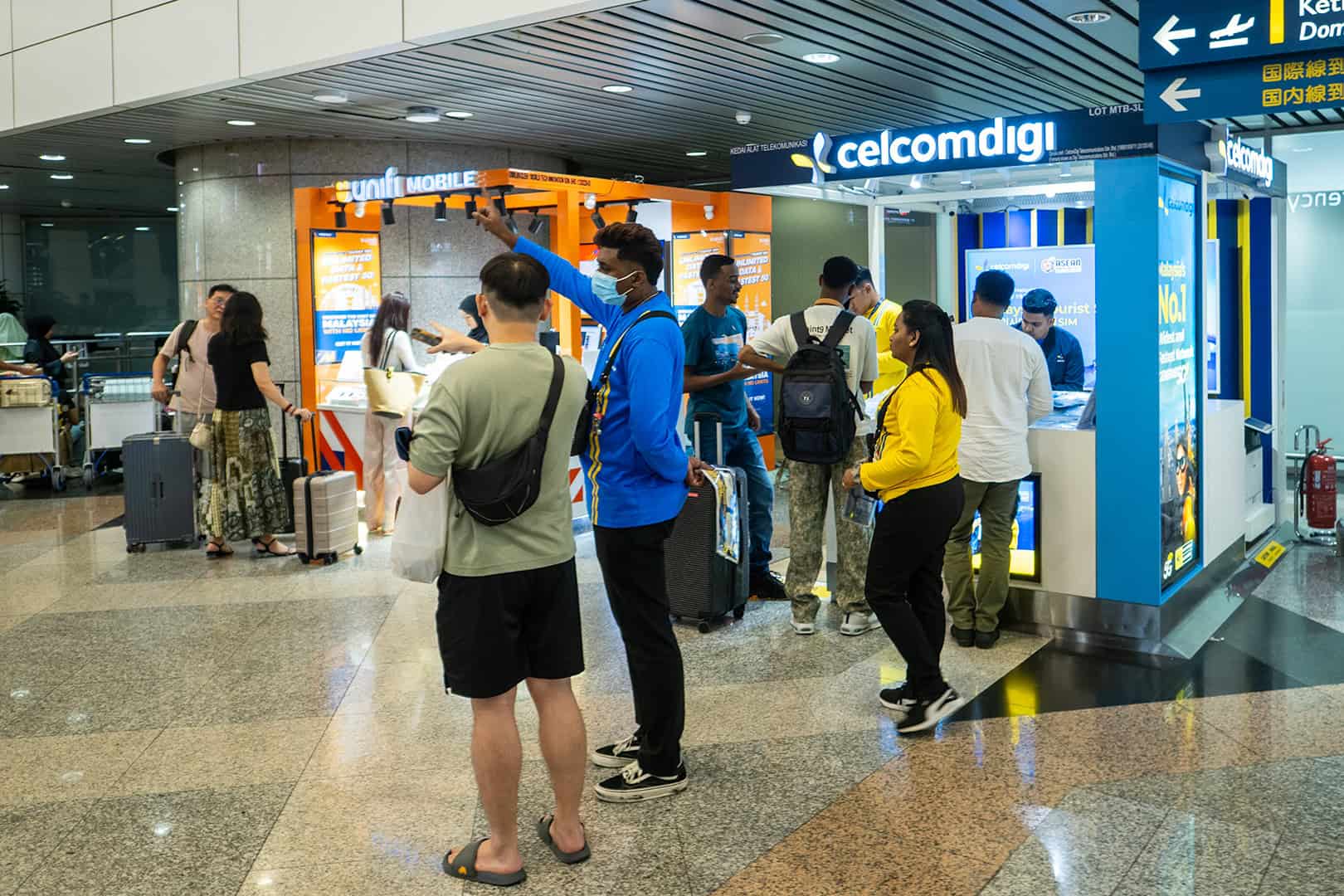
Coverage: Where it works, and where it doesn’t?
Kuala Lumpur and Penang
You don’t need to worry here. All providers work well, and 5G is becoming available in more and more places. And even if you don’t have the fastest connection available, you won’t notice. The average person barely notices the difference between 4G and 5G. In short: Any provider is fine.
Perhentian, Redang, and Tioman.
Here, it’s a different story. You might have perfect coverage on one beach but no coverage at all on another. The quality of your mobile internet varies from resort to resort. Here, choose Celcom, Digi, or Maxis for the best coverage.
Borneo
In Kota Kinabalu and Kuching, you’ll have good coverage with most providers. If you travel deeper into nature reserves like Danum Valley of Mulu National Park, you may regularly find yourself with no coverage at all. CelcomDigi and Maxis are your best choices here, but don’t expect perfect coverage!
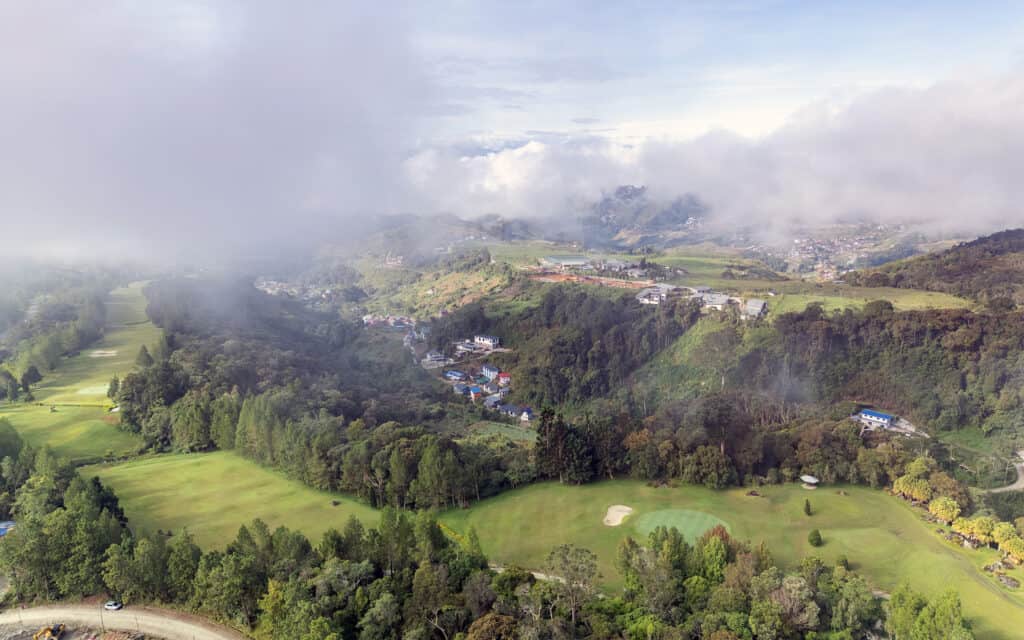
Cameron Highlands and Taman Negara
You’ll have great coverage in the villages, but it drops off outside of them. Be sure to download offline maps in advance—for example, in Google Maps—for these areas, especially when doing proper hikes. You’ll need them to navigate.
How Much Data Do You Need in Malaysia
10-day trip: 10 GB at least or 20 GB for heavy users. If you’re staying in Malaysia for a longer period of time, get at least 20 GB and choose an eSIM provider that offers easy top up possibilities.
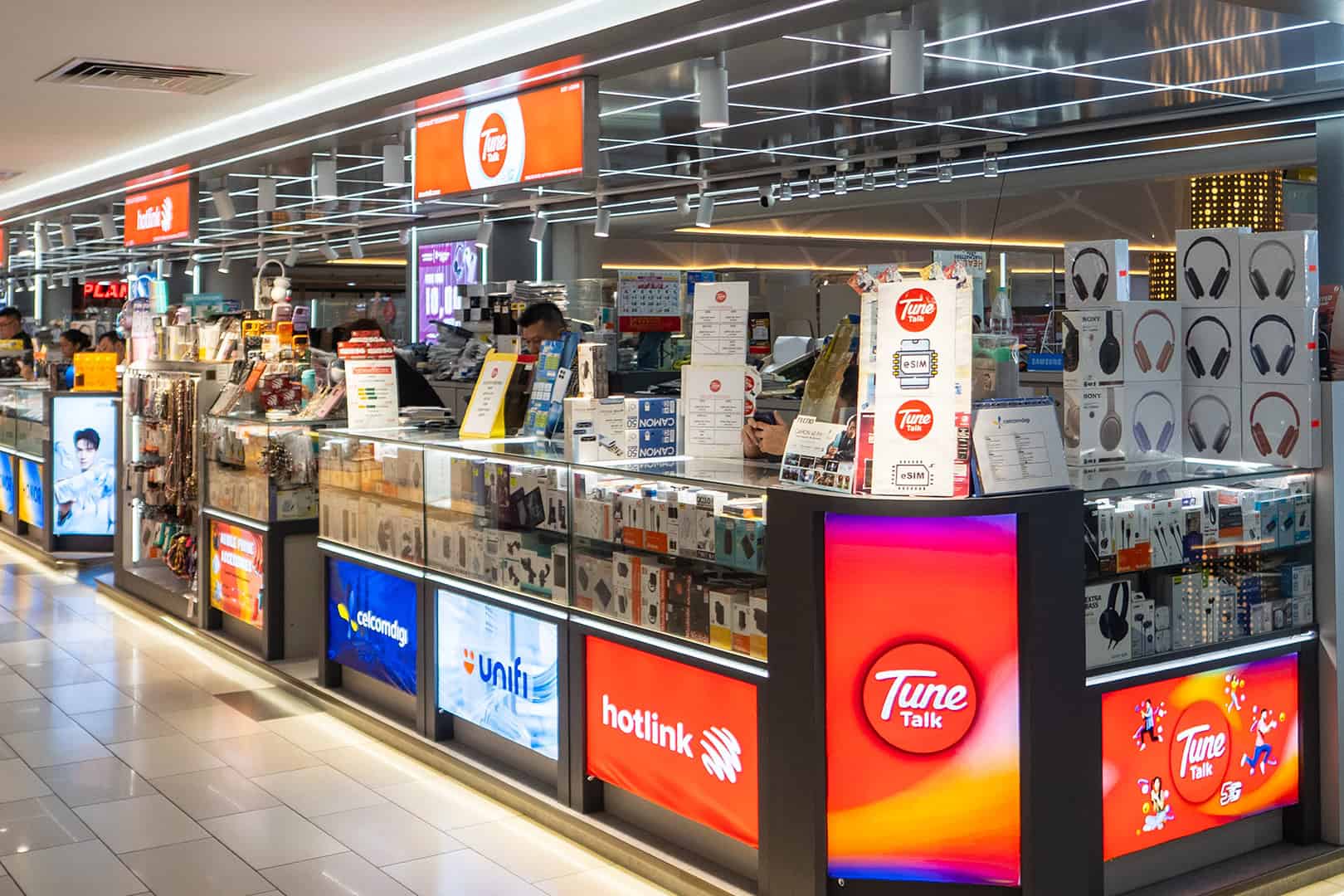
Apps like Grab, Google Maps, and WhatsApp constantly use small amounts of data in the background while on the go. The exact usage varies by device and how intensively you use your phone, but it’s often lower than most travelers estimate.
The real data hogs are video calls, sharing (HD) photos with friends and family back home, and social media, especially TikTok and YouTube. How much data you’ll need on your trip depends heavily on how intensively you use these features.
For the average tourist, 500 MB to 1 GB per day is a good amount of data to aim for when purchasing a data plan. If you use your phone very intensively, work remotely, or perhaps even share data, you might want to plan a bit more generously and allow for 2 to 3 GB per day. Of course, this also depends on your Wi-Fi usage; if you’re in major cities, you’ll likely be connecting to Wi-Fi much more often. Check out a detailed overview of average data usage based on trip duration from a data provider here.
Pay special attention to automatic photo uploads. iCloud Photos and Google Photos can sync photos and videos over mobile data if you’ve allowed it. Regular photos usually use only a limited amount of data, but lots of videos, Live Photos, or RAW files can add up to several gigabytes over two weeks. So set syncing to “Wi-Fi only” if you want to conserve your data plan.
SIM card at the airport or eSIM in advance?
At KLIA T1, the CelcomDigi, Hotlink, and U Mobile counters are located before passport control. You’ll see them on the right as you walk toward immigration. Hand over your passport, the staff member will register you, and after a few minutes, you’ll have a working SIM card. At CelcomDigi, this costs between RM25 and RM60. The tourist plans at the airport start at RM25 for 7 days and go up to RM60 for 30 days. There are also counters in Penang Airport and Kota Kinabalu Airport, but with fewer options. In general, sim cards can be bought pretty much everywhere in Malaysia.
Be careful with “unlimited” plans. They aren’t always 100% unlimited—there may be daily limits. These vary by provider. After using, say, 1, 2, or 3GB per day, your connection may slow down significantly or even stop working altogether. If you use very little data, you’ll be fine—but if you buy an “unlimited” plan because you want to work remotely, you might be in for a big disappointment. In short: Be sure to read the fine print!
The advantage of a physical SIM card is that you get a Malaysian number. This is handy for calling your accommodation or when an app asks for a local number. The downside is that after a long flight, you’ll have to stand in line and remove your Dutch SIM card—unless you have a dual-SIM device.
You can buy an eSIM online and install it at home. After landing, you activate it as your data source. Your Dutch SIM stays in your phone, so WhatsApp and your own number will continue to work. Be sure to turn off “data roaming” on your Dutch SIM, or you’ll still be charged roaming fees. Making regular calls via your Dutch SIM may still incur roaming charges. On the eSIM itself, “data roaming” usually needs to be turned on. That may sound contradictory, but it’s because an eSIM often connects to a Malaysian network via international roaming agreements. So be sure to follow your provider’s instructions carefully!
An eSIM for Malaysia from Travelsim Asia runs on Maxis & CelcomDigi—the same networks as the SIM cards sold at the airport. You’ll only get mobile data; you won’t receive a Malaysian phone number. You can share 100% of your data plan via a hotspot (not all providers allow this).
Before purchasing, check whether your phone supports eSIM (most devices from 2019 onward) and whether it’s SIM-unlocked. Install it at home via Wi-Fi and not at the airport, since you might not have a connection there.
Additionally
Grab doesn’t work without data, so activate your eSIM no later than when you arrive at the airport so you can walk out with a working internet connection.
Renting a car? Check with the rental company to see how you pay tolls and make sure you have enough balance on your Touch ’n Go card or eWallet beforehand. It’ll save you hassle at the toll gate.
A VPN isn’t necessary in Malaysia. WhatsApp, Google, and Instagram work just fine.
If you’re in Borneo or the jungle: never assume you’ll have cell service. Save reservations, phone numbers, and directions offline on your phone. Or print them out the old-fashioned way 🙂
Keep Exploring Malaysia
-
 BuddhaStatue.my Reaches 1,000 Customers as Digital Commerce Opens New Opportunities for Niche Retailers in Malaysia
-
 Staying Online in Malaysia: The Traveler’s Guide to Mobile Data
-
 Seamless Journeys: The Ultimate Guide to Modern Transit and Portable Entertainment in Malaysia
-
 Prevent the Exhausting How to Have a Pleasant Trip in Malacca
-
 How to Compare Room Rentals for Best Value
-
 Why Southeast Asia offers some of the most rewarding travel experiences
Lagos Run 21/10/2026
Really helpful breakdown, especially the point about coverage varying from beach to beach on the east coast islands — that matches what I have heard from friends who travel in Southeast Asia. I also appreciated the reminder about photo apps syncing in the background; that is the kind of detail that saves a traveler from a nasty data surprise. I have bookmarked this for my next trip to Malaysia.
Samuel Wallace 20/10/2026
The 2022 Celcom-Digi merger delivering 97% coverage in Kuala Lumpur and Penang removes the old choice dilemma, and with Maxis still second and U Mobile plus TuneTalk as cheap alternatives you have clear tiered options. When you’re juggling business travel, a reliable source like https://texascompanysearch.us/secretary-of-state/ offers the essential Texas Business Search data to keep your corporate records straight. Meanwhile, 5G is rolling out smoothly enough that most users won’t even notice the difference from fast 4G, so connectivity concerns are minimal.
Hannah Whitcombe 20/10/2026
Thanks for the clear breakdown of coverage by region — the Perhentian and Tioman note about patchy beach-to-beach service is the kind of detail most SIM guides skip entirely. One thing I’d add on the data side: beyond setting photo and video sync to Wi-Fi only, it’s worth checking which apps have background refresh enabled before you fly, since a handful of them quietly nibble through a gigabyte over two weeks even when you’re not actively using them. For downtime in the evenings or on long ferry rides, I’ve found daily common-answer guessing game a low-bandwidth way to kill a few minutes — seven prompts a day, 15 seconds each, and it barely dents a data plan. Slightly addictive, though. Good advice on the offline maps too; that saved me in Taman Negara.
Hannah Whitcombe 20/10/2026
The data-saving tips here are practical, but I’d add one that catches a lot of people off guard: navigation apps. Google Maps offline maps work well, but if you’re relying on live routing in places like the Cameron Highlands or Taman Negara, it can quietly eat through your data faster than you’d expect. Turning off background app refresh and restricting photo sync to Wi-Fi made a noticeable difference on my last trip. I also like the point about keeping every trip’s data modest — the same logic applies to a daily habit like working out word ladders in Feetle online, where a few minutes a day adds up without needing much bandwidth. Useful article overall, especially the coverage breakdown by region.
Hannah Whitcombe 19/10/2026
Solid breakdown of the CelcomDigi situation — plenty of older guides still tell people to pick between Celcom and Digi as if they were separate networks, so this is a useful correction. One thing I’d add for the island spots like Perhentian and Tioman: it’s worth taking a screenshot of your resort’s address and pinning it offline, because even with Maxis the signal can vanish between beaches and the boat transfer point often has nothing. On the data side, the automatic photo sync warning is real; I’ve seen iCloud quietly eat a couple of gigabytes in a week. For downtime on long boat rides or rainy evenings, I’ve been keeping a tab open on the Pixel Lineage codes and race guide since it loads fine on a weak connection and the codes are dated, which saves guessing what still works.
Hannah Lim 18/10/2026
Good write-up, especially the point about iCloud Photos and Google Photos quietly syncing over mobile data — that catches a lot of travellers off guard and can burn through a 20 GB plan faster than any map app. One thing I’d add to the offline prep list: if you’re planning to spend downtime on creative hobbies in a homestay or resort with weak Wi-Fi, browser-based tools are a lifesaver since nothing needs installing. I’ve been using HandSynth's gesture synth troubleshooting guide for a webcam-based synth that runs entirely on-device, so no video is uploaded, which is reassuring on shared hotel networks. It turns hand movements into chords and volume, and there are mouse and keyboard modes for when the camera isn’t available. Nice to have something creative to do when the signal drops in Taman Negara.
Hannah Whitfield 18/10/2026
Good rundown on the CelcomDigi merger—plenty of older travel blogs still tell people to pick between Celcom and Digi, which is well out of date now. The tip about iCloud and Google Photos syncing over mobile data is worth repeating; I’ve seen that quietly eat a couple of gigabytes on a two-week trip. One thing I’d add for anyone staying longer or revisiting: it helps to keep a lightweight offline reference handy, and I’ve used MapleStory Classic World guides on slow connections in the Cameron Highlands when I wanted something to read without burning data. Downloading offline maps before heading to Taman Negara is essential too—coverage really does vanish once you leave the villages.
Hannah Lim 18/10/2026
Solid write-up, and the point about older travel articles still pushing Celcom or Digi as separate choices is spot on — that CelcomDigi merger catches a lot of people out. The tip about switching iCloud Photos and Google Photos to Wi-Fi only is easily the most underrated one here; I’ve watched a friend burn through a 20 GB plan in a week just from background video sync. One thing I’d add for the island stretches: download offline maps for Perhentian and Tioman before you leave the mainland, since coverage really does flip from beach to beach. For anyone who also kills time on their phone during long transfers, I’ve been using the Pokemon Survivor tier list and Pokedex as a lightweight browser reference — it’s a free fan guide covering all 966 Pokemon, moves, items and arenas, so it loads fine on a modest data plan.
Hannah Whitaker 18/10/2026
Good breakdown of the coverage gaps on the east coast islands and in Borneo. One thing I’d add for longer stays: the data estimate of 500 MB to 1 GB per day is fair for maps and WhatsApp, but background sync is what catches most people out. Beyond setting iCloud and Google Photos to Wi-Fi only, it’s worth disabling app auto-updates and checking which apps have unrestricted background data, since a single month of accumulated updates can quietly eat a gigabyte or more. If you’re topping up an eSIM mid-trip, keep a screenshot of the provider’s top-up page offline, as coverage in places like Mulu makes loading it live a gamble. For travelers who also game on mobile during downtime, the mechanics in something like this pity and rolls breakdown can matter more than raw speed once you’re capped, so it helps to know your limit before you commit to a plan.
Farah Idris 18/10/2026
Good breakdown of coverage, especially the note about resort-to-resort variation on Perhentian and Redang — that matches what I’ve seen, where one side of the island is fine and the other has nothing. The data hog point is worth repeating too: automatic iCloud and Google Photos uploads quietly eat through a plan, and setting syncing to Wi-Fi only saves more than most people expect. One workaround I’d add for slow evenings in a hostel is checking whether a guide caches its data offline. When I was grinding through co-op horror content on the road, the Outlast Trials beginner guide loaded fine on a weak 4G signal, and having amp and rig details, enemy pages and program guides in one place meant I wasn’t burning data jumping between tabs. Prepaid CelcomDigi plus offline maps covered the rest of the trip.
Hannah Whitfield 18/10/2026
The point about Celcom and Digi merging in 2022 is one a lot of older travel posts still get wrong, so it’s good to see it corrected here. I’d add one practical note on the data side: turning on “Wi-Fi only” for photo sync saved me a surprising amount on a two-week trip, since iCloud was quietly pushing video clips over mobile data in the background. If you’re on a longer stay, an eSIM with easy top-up is worth the small premium over a physical SIM, especially if you’re moving between the mainland and Borneo. For anyone who also enjoys browser life sims in between trips, this breakdown of best job choices in Lagos Life is a fun parallel read on weighing pay against cost of living. Anyway, the coverage notes for the east coast islands are spot on.
Hannah Whitfield 18/10/2026
Really useful breakdown of the CelcomDigi merger and how coverage still varies so much between the peninsula and places like Perhentian or deep into Borneo. The tip about forcing photo sync to Wi-Fi only is especially good advice that many travellers learn the hard way after burning through a data plan on the first day. For anyone who works remotely while travelling, I’d add that a bit of planning around connectivity pays off just as much as choosing the right SIM. I’ve found the AI for science and research hub handy for keeping up with tools and news in that space, which is useful if you rely on a stable connection for research or study on the road. The point about downloading offline maps before heading to Taman Negara or the Cameron Highlands is spot on too.
Hannah Lim 18/10/2026
The CelcomDigi merger point is one a lot of older travel guides still get wrong, so it’s good to see it corrected here. I’d add that the data advice about setting photo sync to Wi-Fi only is probably the single biggest saver on a two-week trip, since iCloud and Google Photos can quietly eat a gigabyte or more without you noticing. On the east coast islands, downloading offline maps plus screenshots of resort contact details before you leave the mainland has saved me more than once when coverage vanished between beaches. If you’re the sort who likes a bit of travel entertainment on the long bus rides, things like a photo-based palm reading work fine offline once loaded, which pairs nicely with the offline-maps habit. The 500 MB to 1 GB per day estimate feels about right for most travellers.
Hannah Lim 18/10/2026
Good breakdown of the coverage gaps — the point about Perhentian and Redang varying from resort to resort matches what I’ve heard from dive instructors there, and the offline maps tip for Taman Negara is worth repeating to anyone planning proper hikes. One thing I’d add is that the data-usage section is where most travellers underestimate their needs, especially with iCloud or Google Photos quietly syncing in the background; switching those to Wi-Fi only saved me a lot of GB last trip. It’s also worth noting that the eSIM top-up process is usually smoother than hunting for a physical SIM counter at KLIA during peak arrival hours. On a related note, if you’re putting together trip reports or route maps for these national parks afterwards, AI research figure tool lets you turn raw data into clean charts and flowcharts from simple prompts and export them as editable SVG, which is handy for travel write-ups.
Hannah Whitfield 18/10/2026
Solid breakdown, especially the point about photo syncing quietly burning through a data plan. I’d add one more habit that saved me a lot of frustration on a recent trip: before leaving a city, screenshot the offline map of your next destination and pin your guesthouse, because the coverage gaps on the islands aren’t always where the resorts advertise. I’d also suggest checking whether your eSIM supports top-ups locally, since some budget providers make you buy a whole new plan rather than add data. On the gaming side, if anyone in the group plays mobile Roblox titles, patch days can spike your data more than maps or chat, so it helps to know the current meta before you’re offline. I usually check a Slayers 2 clans tier list for roll odds and clan rankings. Handy resource, and it loads fast even on a weak connection.
Hannah Mercer 18/10/2026
Great breakdown of the CelcomDigi merger and coverage gaps — the point about one beach on Perhentian having perfect signal while the next has none matches my experience exactly. One thing I’d add for anyone doing the Cameron Highlands or Taman Negara hikes: download offline maps and also save a few key contacts as screenshots, since background syncing quietly eats data. I also keep a small folder of useful templates offline before a trip, and a free printable stencil library like printable stencil templates is handy to have saved for travel crafts, carving or journaling when connectivity drops. The 1 GB per day estimate is spot on for most travellers, though video calls will blow through that fast.
Hafiz Rahman 18/10/2026
Thanks for the detailed breakdown — the point about coverage varying from beach to beach on Perhentian and Redang matches my experience exactly, and I’d second the advice to download offline maps before heading into Taman Negara or the Cameron Highlands. One thing I’d add for longer stays: eSIM top-ups are convenient, but keep an eye on background sync settings, since iCloud Photos quietly ate through a gigabyte of my plan in a week. Rainy afternoons in the highlands were also when I was most glad to have a bit of data spare, usually for passing time with short browser-based story games like the ones in this curated visual novel collection — no downloads, so they worked fine even on a weak resort connection. Good luck to everyone travelling in 2026.
Josen 12/10/2026
The contrast between the old “Celcom or nothing” era and 2026’s options is a nice bit of travel-tech history — I remember when landing in KL meant hunting for a tourist SIM before even finding the Grab pickup. For most travelers now it comes down to eSIM for maps plus a local number for Grab, and having it sorted before the plane lands. Practical guides like this are exactly what travel vloggers turn into 60-second explainers.
https://gemini-omni.dev/
tamima hayes 03/10/2026
Staying connected while traveling or living abroad has become much easier with reliable digital tools and communication options. It’s helpful to have dependable resources that make it easier to stay organized and find useful information when needed. I also found https://leecountyfl.org useful for accessing local information in an organized way. Having convenient online resources can save time and make everyday research much simpler.
Alina Roberts 01/10/2026
Staying connected while traveling or living in Malaysia in 2026 is easier with the right communication options and reliable information. It is also useful to keep organized resources available when researching local details from afar. I recently found https://marioncountyflorida.org helpful for accessing organized information during research. Having dependable resources can make everyday information searches much simpler and more convenient.